For military families with orders
Your whole PCS in one binder, and every dollar in one spreadsheet.
A 53-page printable PCS binder that takes you from orders to your first month at the new base, plus a budget tracker that shows what you've spent, what's owed back, and what has actually arrived. Made by a military spouse.
Instant download · Print the binder, open the tracker in Excel or Google Sheets
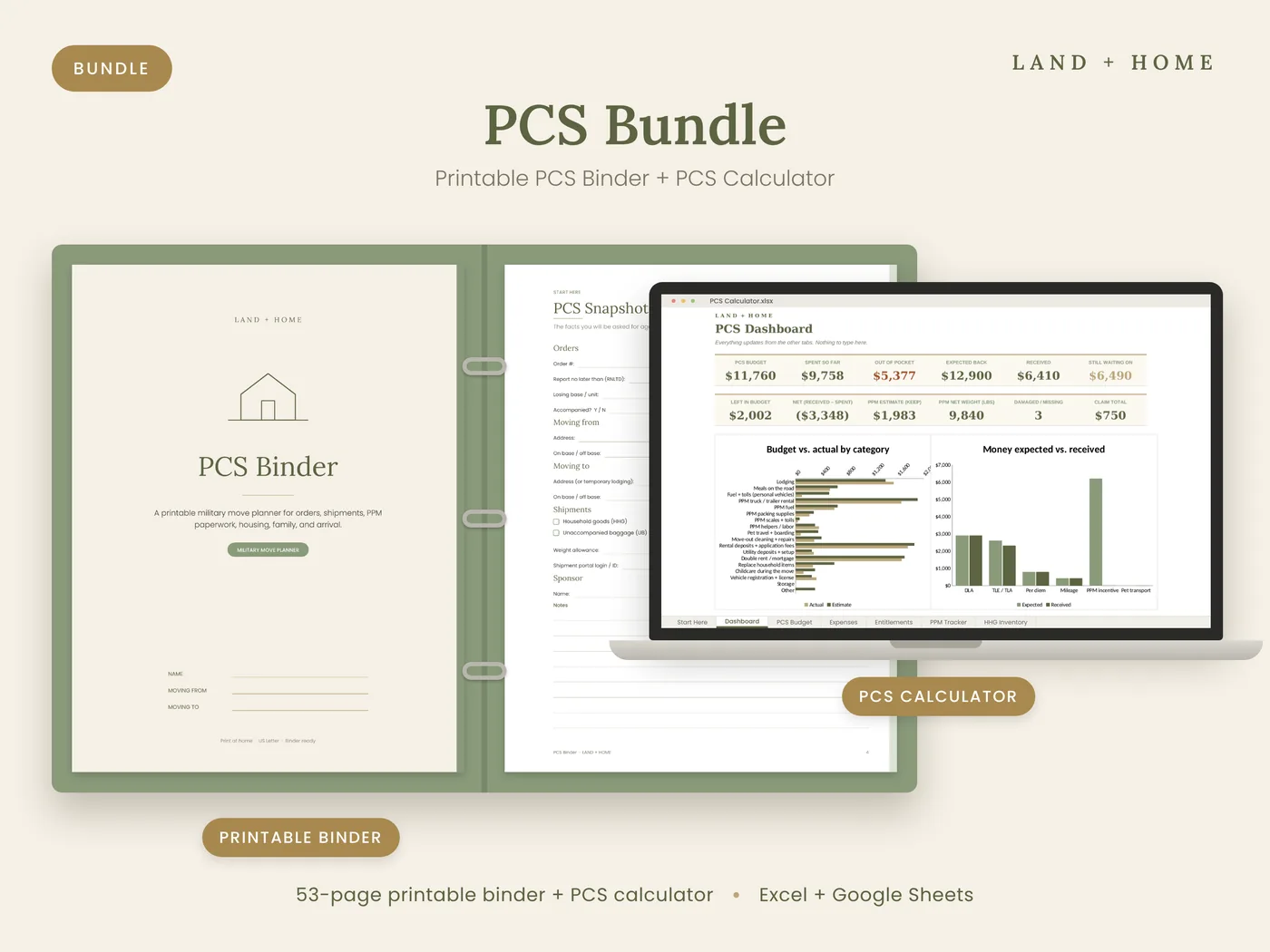
A real example
Spent: $9,758. Back so far: $6,410. Still waiting on: $6,490.
This is the tracker's filled example of a PCS with a PPM. Without a list, those numbers live in your head and a pile of receipts. With one, you know exactly what to follow up on with finance, and why the bank account looks the way it does.
Sample numbers from the filled example. Your entitlements depend on your orders, rank, and dependents.
- Spent so farLodging, PPM truck, deposits, double rent, and more$9,758
- Expected backDLA, TLE, per diem, mileage, and the PPM incentive$12,900
- ReceivedDLA, most of TLE, per diem, and mileage$6,410
- Still waiting onThe PPM payment and one night of TLE$6,490
Out of pocket, not reimbursable$5,377
Sound familiar?
If you've ever thought…
- “Where did I put the orders amendment?”
- “Did finance ever pay the TLE?”
- “How much are we actually out of pocket right now?”
- “Where are the weight tickets from the second trip?”
- “What do the kids' schools need from us before we leave?”
…this bundle keeps the plan on paper you hand-carry and the money in a spreadsheet that does the math.
Inside the tools
Plan on paper, track on screen
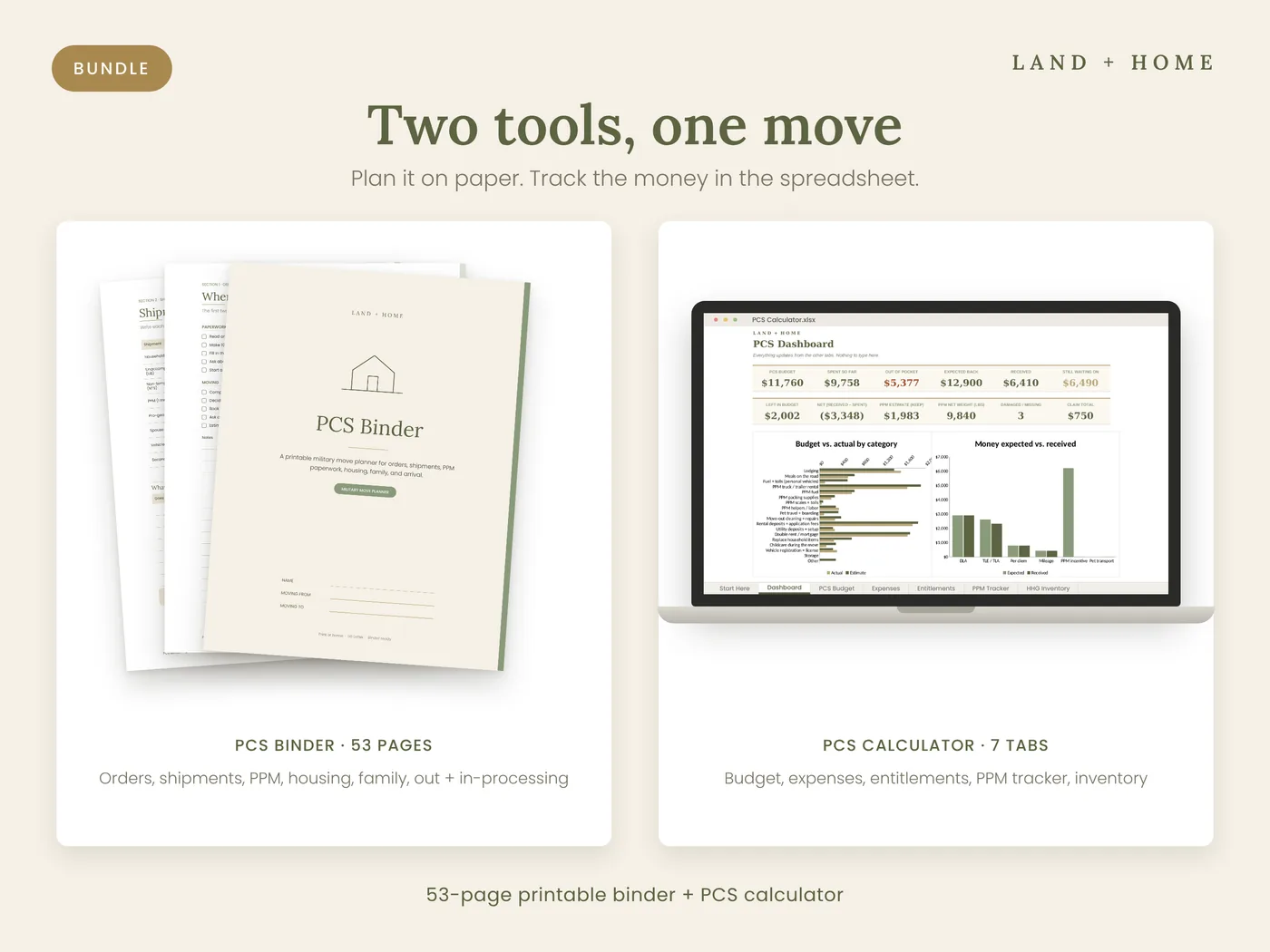
Two tools for one move
The binder covers the plan from orders to arrival. The spreadsheet covers the money from the first deposit to the last reimbursement.
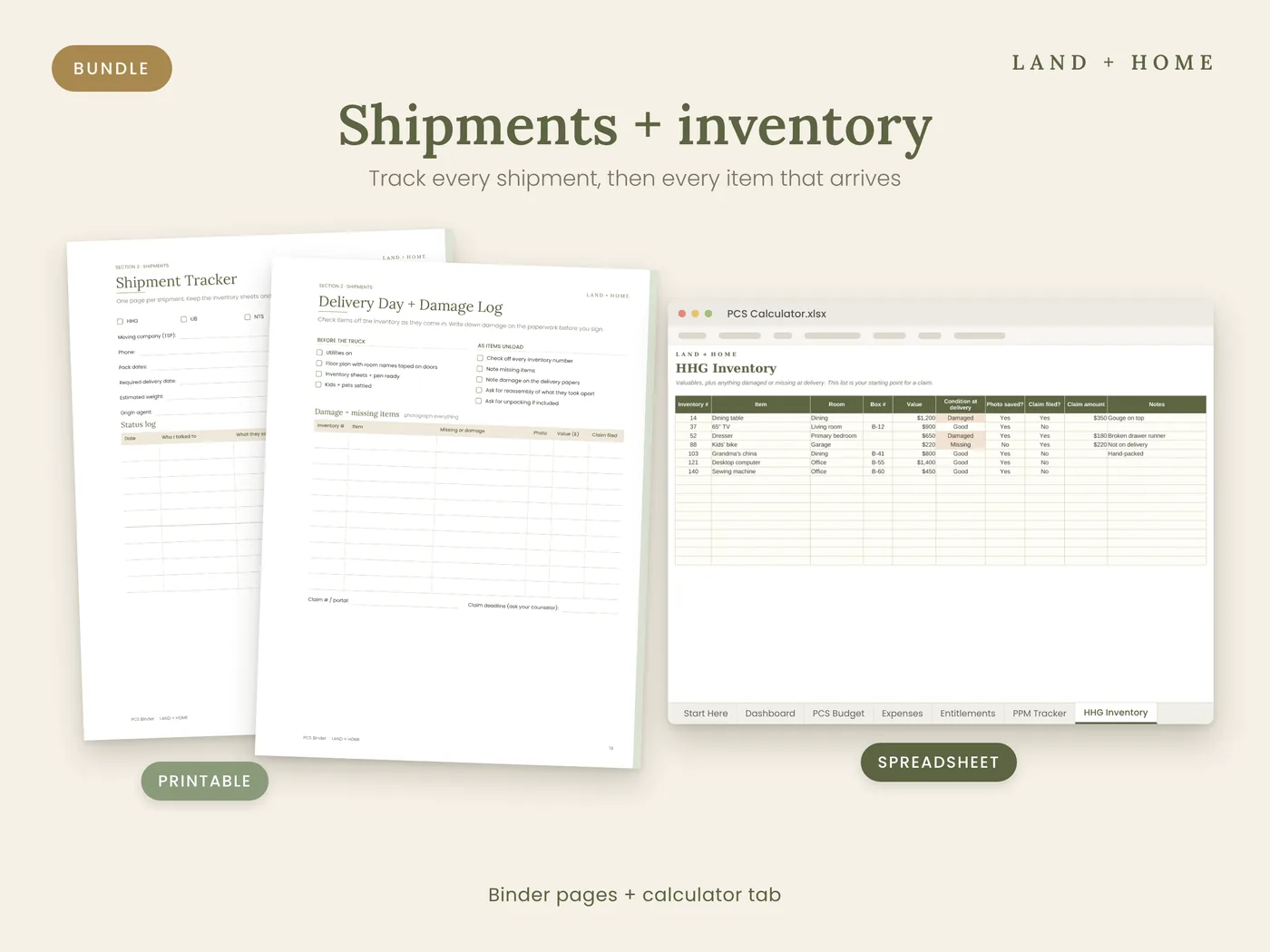
Every shipment tracked
Plan HHG, UB, PPM, and pro-gear on paper, and keep a valuables and damage list in the spreadsheet for claims.
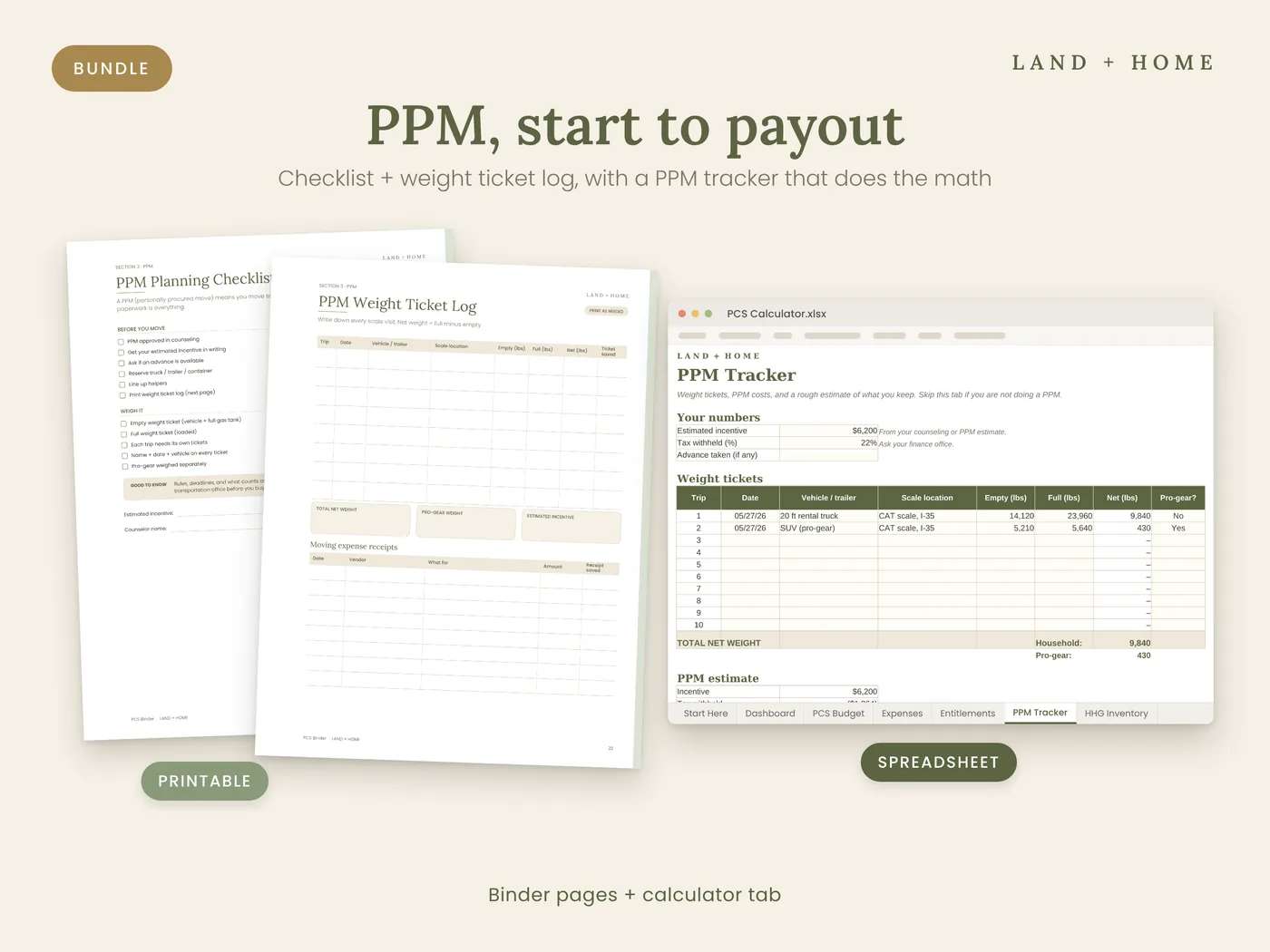
PPM from start to closeout
A planning checklist and weight ticket log in the binder, plus a tracker that adds up net weight and estimates what you keep.
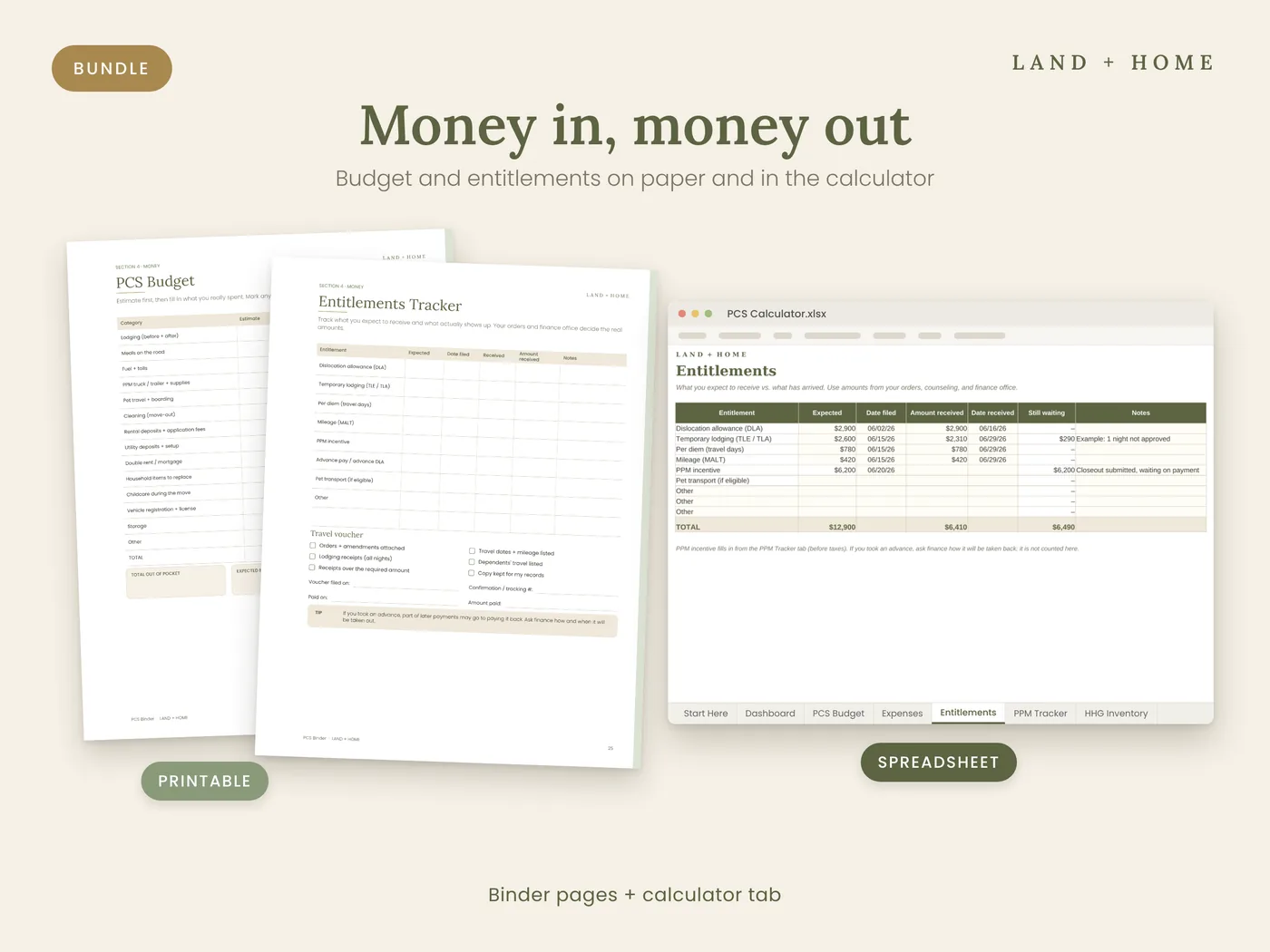
Know what's owed back
List the DLA, TLE, per diem, mileage, and PPM amounts you expect, then record what arrives and when.
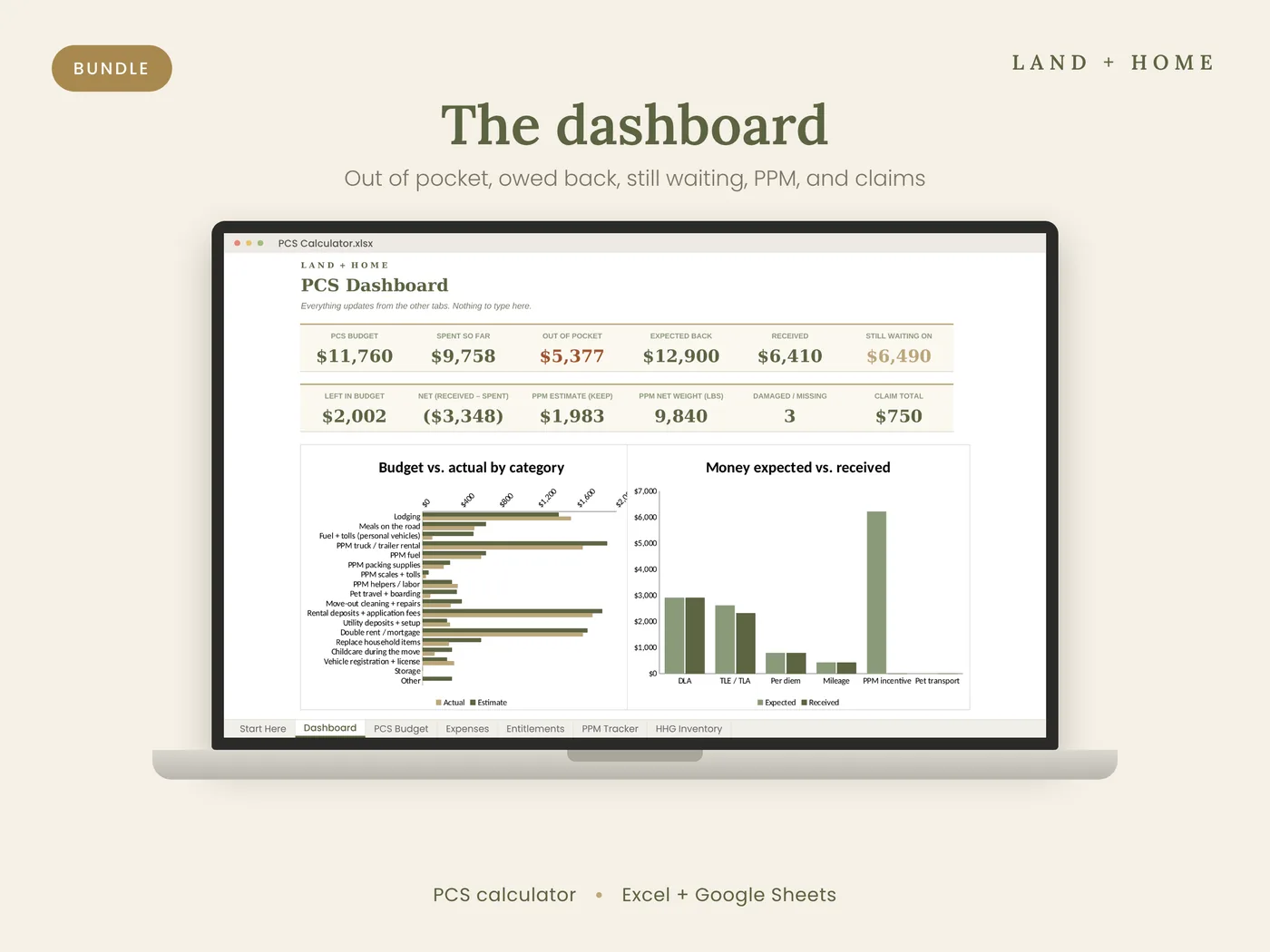
See it all at a glance
Budget, spent so far, out of pocket, expected back, received, and still waiting on, updated as you log expenses.
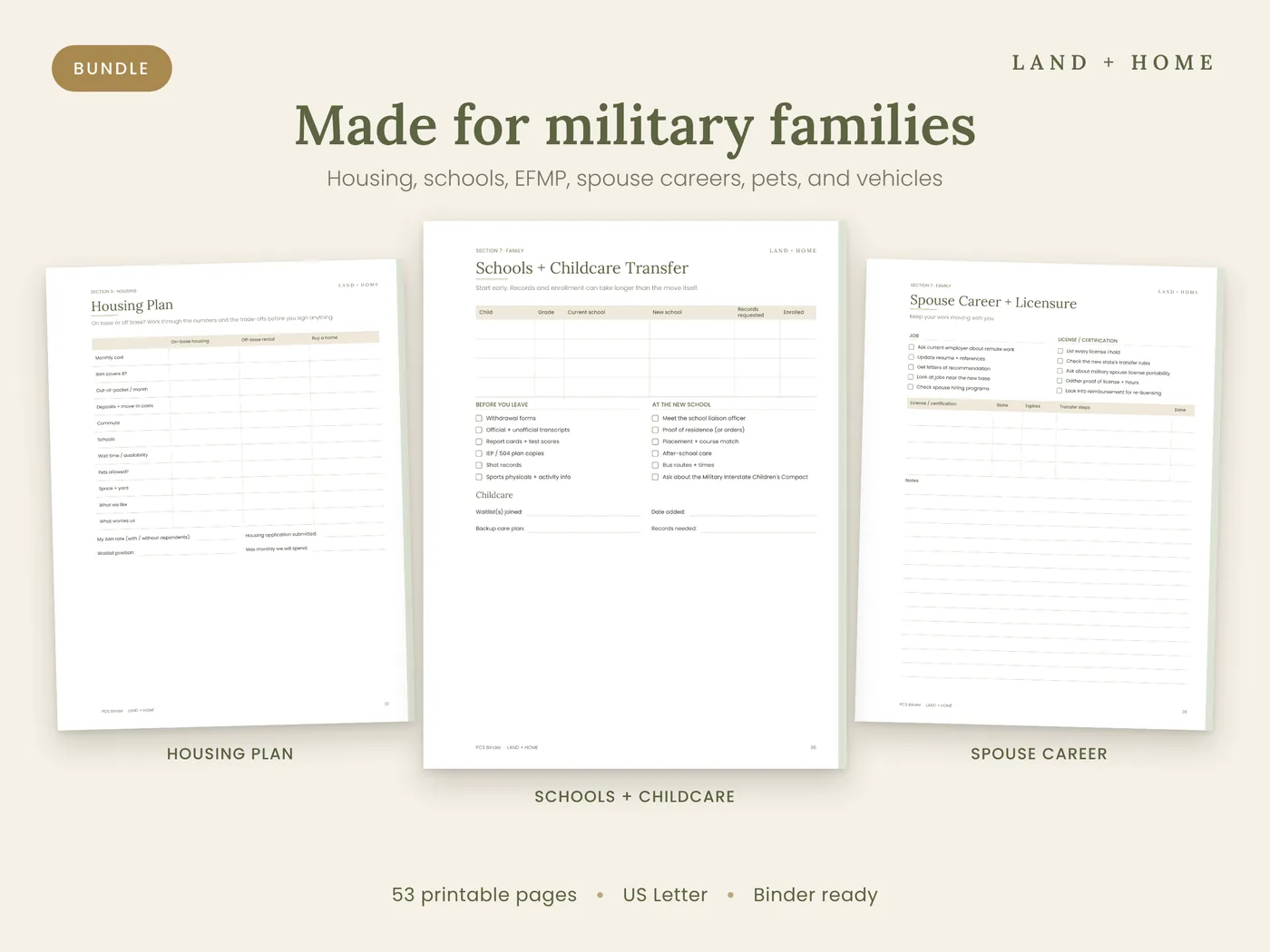
The family side covered
Housing, schools and childcare, medical and EFMP, spouse career, kids, pets, and vehicles.
The difference
Sticky notes vs. a system
Sticky notes
- Orders, contacts, and receipts spread across email, texts, and the kitchen counter
- Guessing whether finance paid everything
- Weight tickets in the truck's cup holder
- Starting the checklist over every move
With the bundle
- One binder you hand-carry, with the PCS Snapshot up front
- Expected vs. received for every entitlement
- A weight ticket log on paper and net weight added up for you
- A timeline with four phase checklists you can reprint for the next PCS
What's included
Everything in your download
- PCS Binder (PDF, 53 pages): Start Here, Orders + Timeline, Shipments, PPM, Money, Out + In-Processing, Housing, Family, Pack + Go, and Settle In
- PCS Budget Tracker (.xlsx) with 7 tabs: Start Here, Dashboard, PCS Budget, Expenses, Entitlements, PPM Tracker, and HHG Inventory
- Filled example spreadsheet that shows a sample PCS in every tab
- 53-page printable PCS Binder (PDF)
- 7-tab PCS Budget Tracker for Excel and Google Sheets
- Blank tracker plus a filled example
- US Letter, binder ready
- Instant digital download
Bundle · PDF binder + spreadsheet
$24.99$29.98
You save $4.99 compared with buying them separately.
Get the bundle · $24.99Instant digital download. Your link arrives on screen and by email.
Questions before you buy? Email hello@landandhometools.com.
A good fit if
- Military families who want the full PCS system in one purchase
- Spouses who like paper checklists but want the math done for them
- Families doing a PPM who want weight tickets on paper and in the spreadsheet
- Anyone who wants to save over buying the two separately
Not the right fit if
- You want official entitlement amounts calculated for you. Rates depend on your orders, so you enter the numbers from your finance office, and the tracker adds them up.
- You only want to fill things in on screen. The binder is a printable PDF made to fill in by hand. The spreadsheet is the digital part.

Who's behind this
We're a military family with three young kids, and we've moved more times than we can count. Every PCS, we rebuilt the same checklist and the same spreadsheet. This is the version we wish we'd had the first time.
Read our storyQuestions
Frequently asked
What is the difference between the binder and the spreadsheet?
The binder is a printable planner for the whole move, including orders, shipments, housing, family, and packing. The spreadsheet tracks the money, including budget, expenses, reimbursements, PPM, and HHG claims.
Does the spreadsheet calculate my entitlements?
No. You enter the amounts from your orders, transportation counseling, and finance office. It tracks expected vs. received and adds up what you enter.
Is the binder fillable on a computer?
No. It is a printable PDF made to fill in by hand. The spreadsheet is the digital part of the bundle.
Does the spreadsheet work in Google Sheets?
Yes. Upload it to Google Drive and open it with Google Sheets. It also works in Microsoft Excel.
How do I get the files?
Right after checkout you get a download link on screen and by email.
Start the day your orders arrive.
Print the PCS Snapshot, fill in your report date, and log your first expense tonight. Everything after that has a place.
Get the bundle · $24.99These are planning tools, not official military forms or JTR guidance, and they are not affiliated with or endorsed by the Department of Defense or any branch. The spreadsheet does not calculate official entitlement rates. Verify entitlements, weight allowances, and deadlines with your transportation office and finance office. See the license and refund policy.