For manufactured home + land buyers
$98,000 on the quote. $184,100 to live in it. Here's every line in between.
Dealer quotes that list different things, land you're not sure about, a loan you can't compare. The Command Center walks you through each call, in order, so the number you sign is the number you pay.
Use it for 30 days. If it doesn't help you plan your purchase, you get every dollar back.
Instant download · Excel + Google Sheets and printable PDFs · Every state fact sourced, verified October 2026
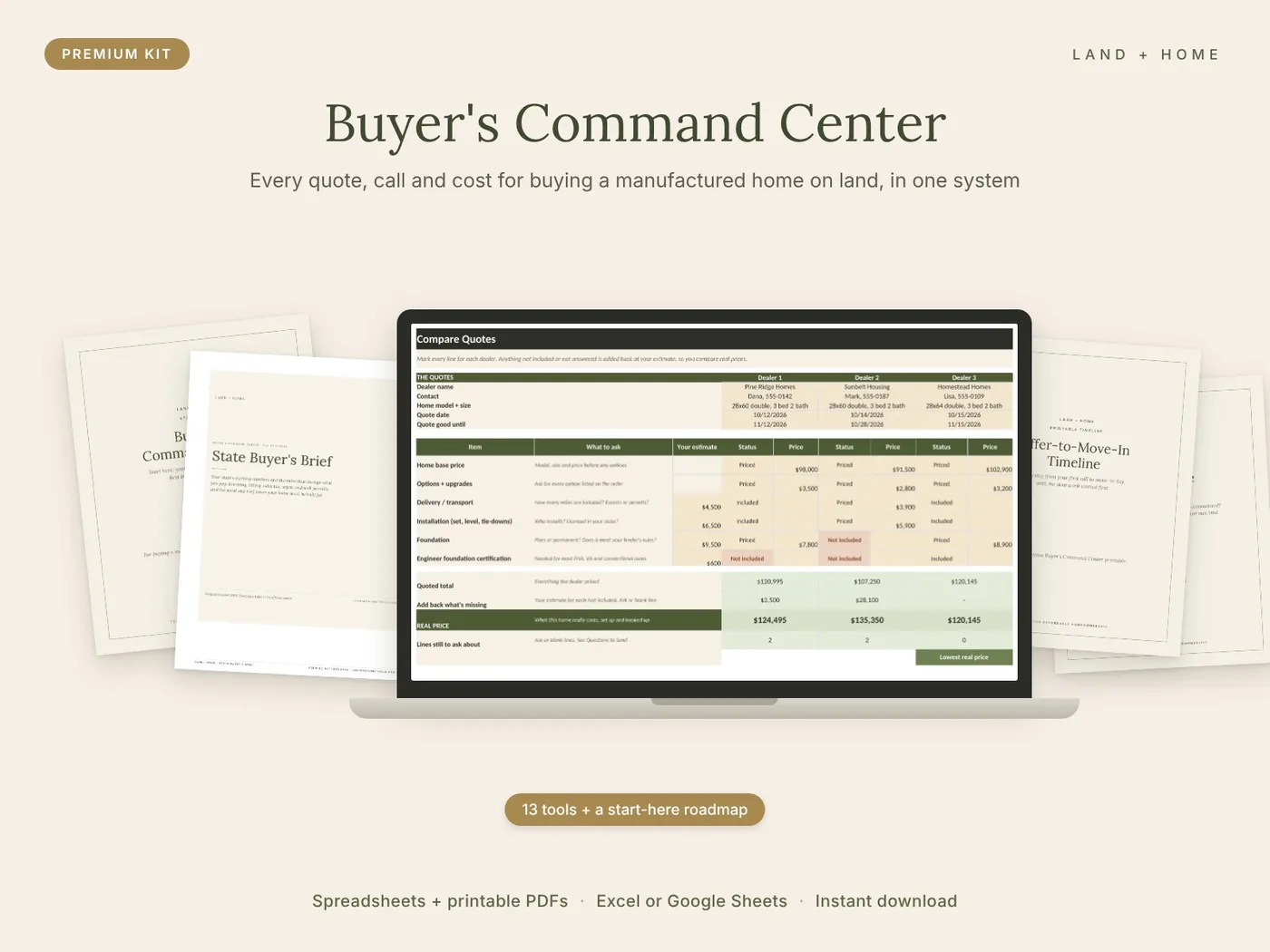
Why quotes fool people
Where the other $86,100 comes from
In our filled example, the home is quoted at $98,000. Getting it delivered, set up, hooked to a well, septic, and power, and reachable by a driveway adds $86,100, and that's before the land. Some of it shows up in a dealer quote. Much of it doesn't. The Command Center shows you which is which.
Sample numbers from the True Cost Calculator's filled example. Your costs will be different, and finding out yours is the point.
- Home priceThe number on the quote$98,000
- Delivery, installation + foundationSometimes included, often partly$20,500
- Options, HVAC, steps, skirting + permitsOften left off$16,400
- Site prep + drivewayUsually not in a dealer quote$17,800
- Well, septic, power + trenchingUsually not in a dealer quote$31,400
Home ready to live in$184,100
The cheapest quote wasn't the cheapest home
In the kit's filled example, three dealers quoted similar 3-bed, 2-bath double-wides. Sunbelt Housing looked like the deal: $107,250, almost $13,000 under the next quote.
| Dealer | Quoted price | Left out or unanswered | Real price |
|---|---|---|---|
| Pine Ridge Homes | $120,995 | $3,500 | $124,495 |
| Sunbelt Housing | $107,250 | $28,100 | $135,350 |
| Homestead Homes | $120,145 | $0 | $120,145 |
Sunbelt's quote left out the foundation, A/C, skirting, steps, hookups, permits, and inspections. Added back at the buyer's own estimates, the "cheap" quote cost $15,205 more than Homestead's. The Dealer Quote Comparison does this math for you and writes a follow-up question for every gap.
Sound familiar?
If you've ever thought…
- “Two dealers, two quotes, and I can't tell which one is cheaper.”
- “How do I know this land will even pass a perc test?”
- “Who do I call first, and what do I ask them?”
- “The lender says this payment is fine. Is it the best loan?”
- “My partner and I keep going back and forth, and we're not even looking at the same numbers.”
…the Command Center gives each of those questions its own tool, in the order you'll need them, so you're never guessing in the middle of a six-figure decision.
A quick look
One minute through the Command Center
Inside the tools
Eight pieces made only for this kit, plus the tools you already know
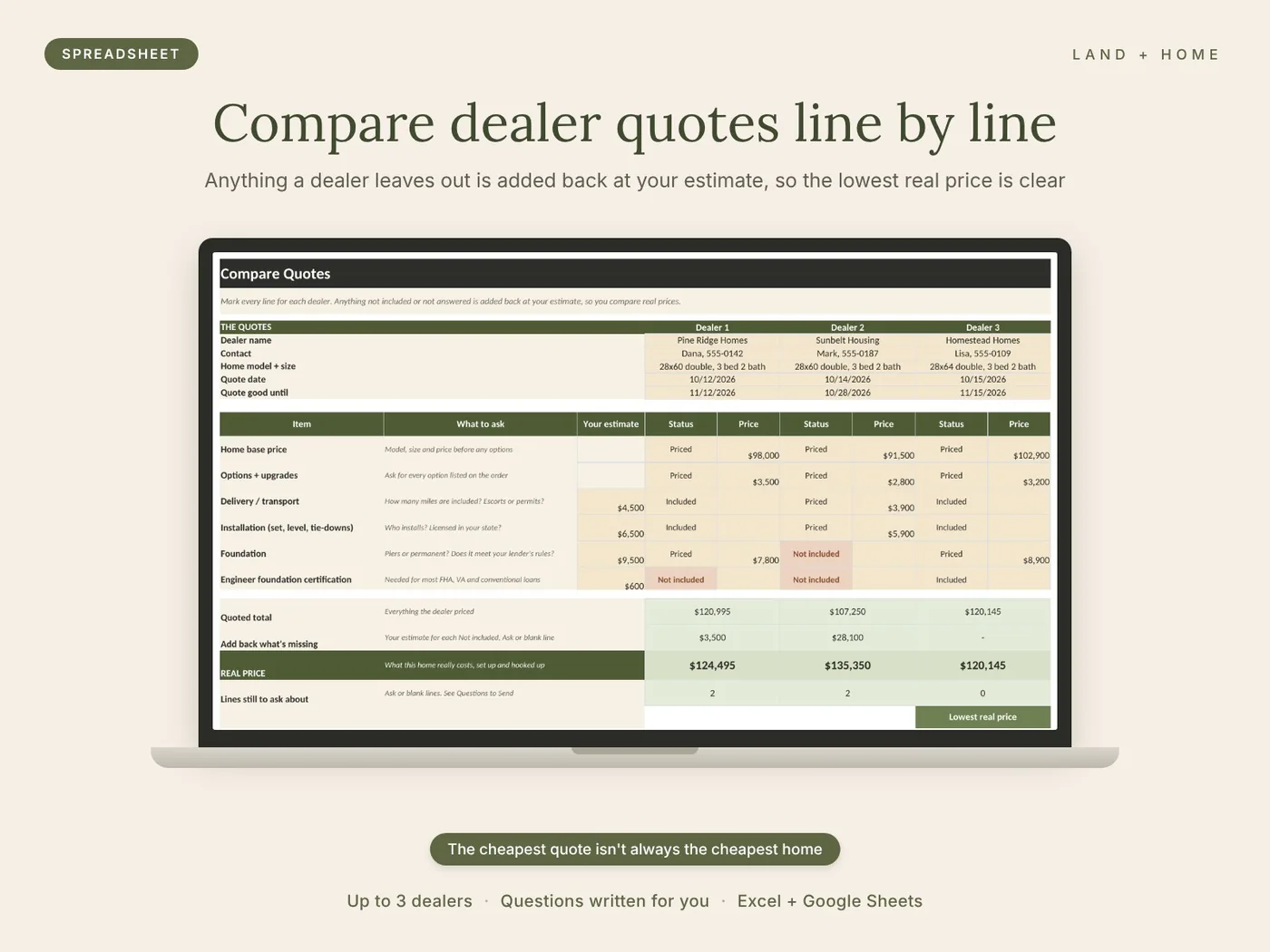
Compare dealer quotes line by line
Enter up to three quotes and mark every line. Anything a dealer leaves out is added back at your estimate, the lowest real price is marked, and your follow-up questions are written for you.
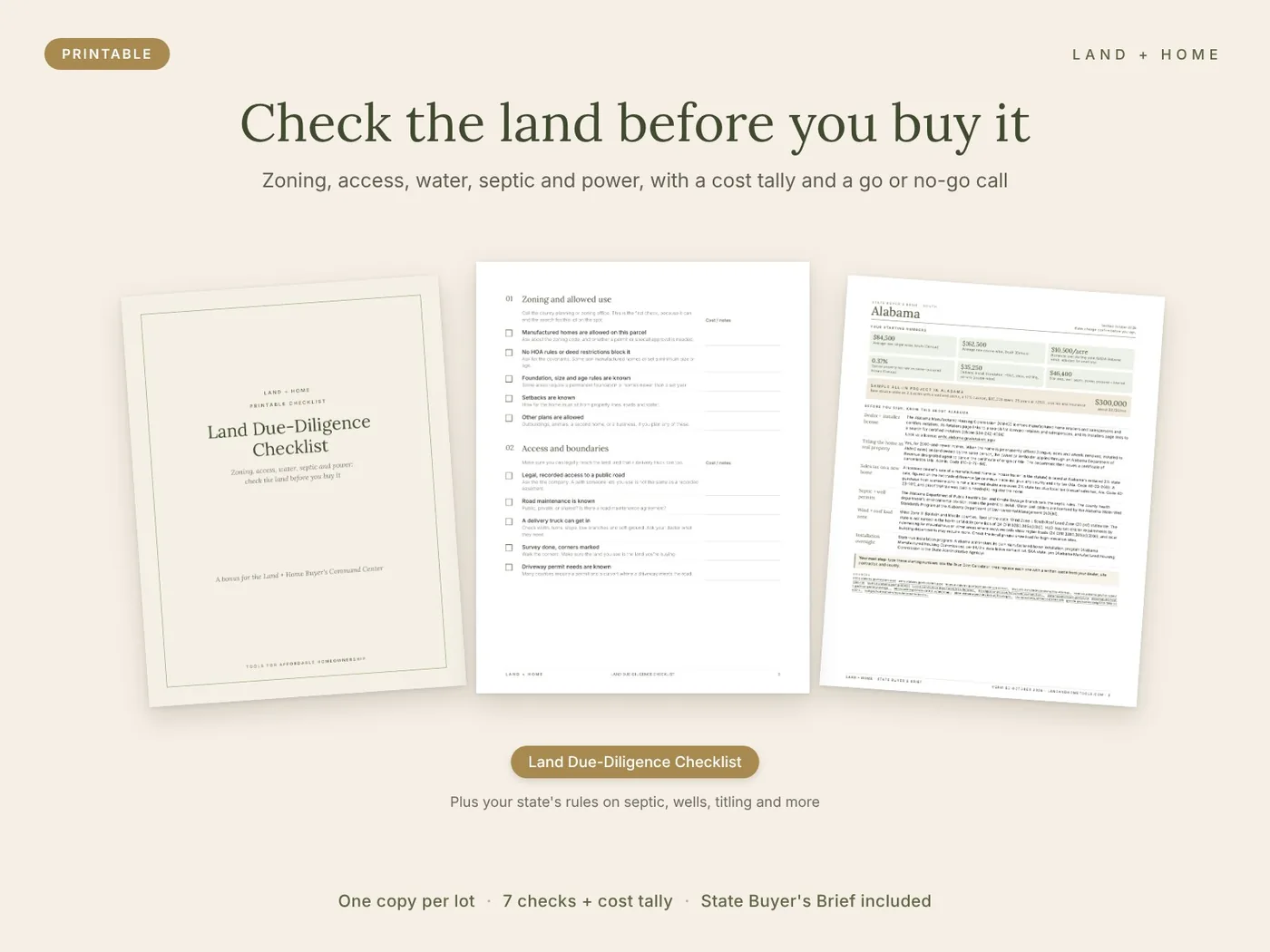
Check the land before you buy it
Zoning, access, water, septic, power, the site, and title, with a land cost tally and a go or no-go call. One copy per lot.
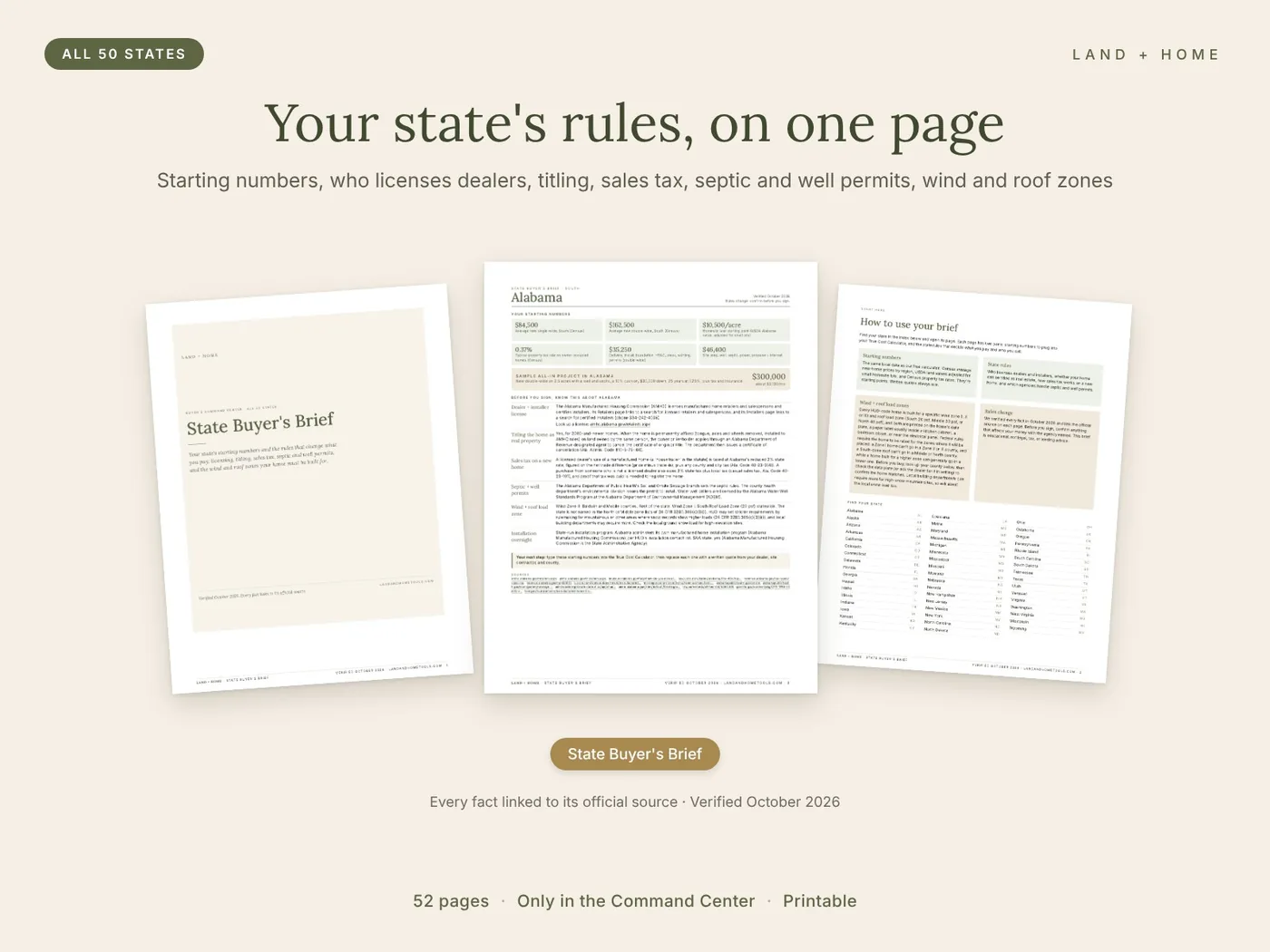
Know your state's rules
One page per state: starting numbers, who licenses dealers and installers, how titling and sales tax work, septic and well permits, and wind and roof zones, each with its official source. See a free sample page (Texas)
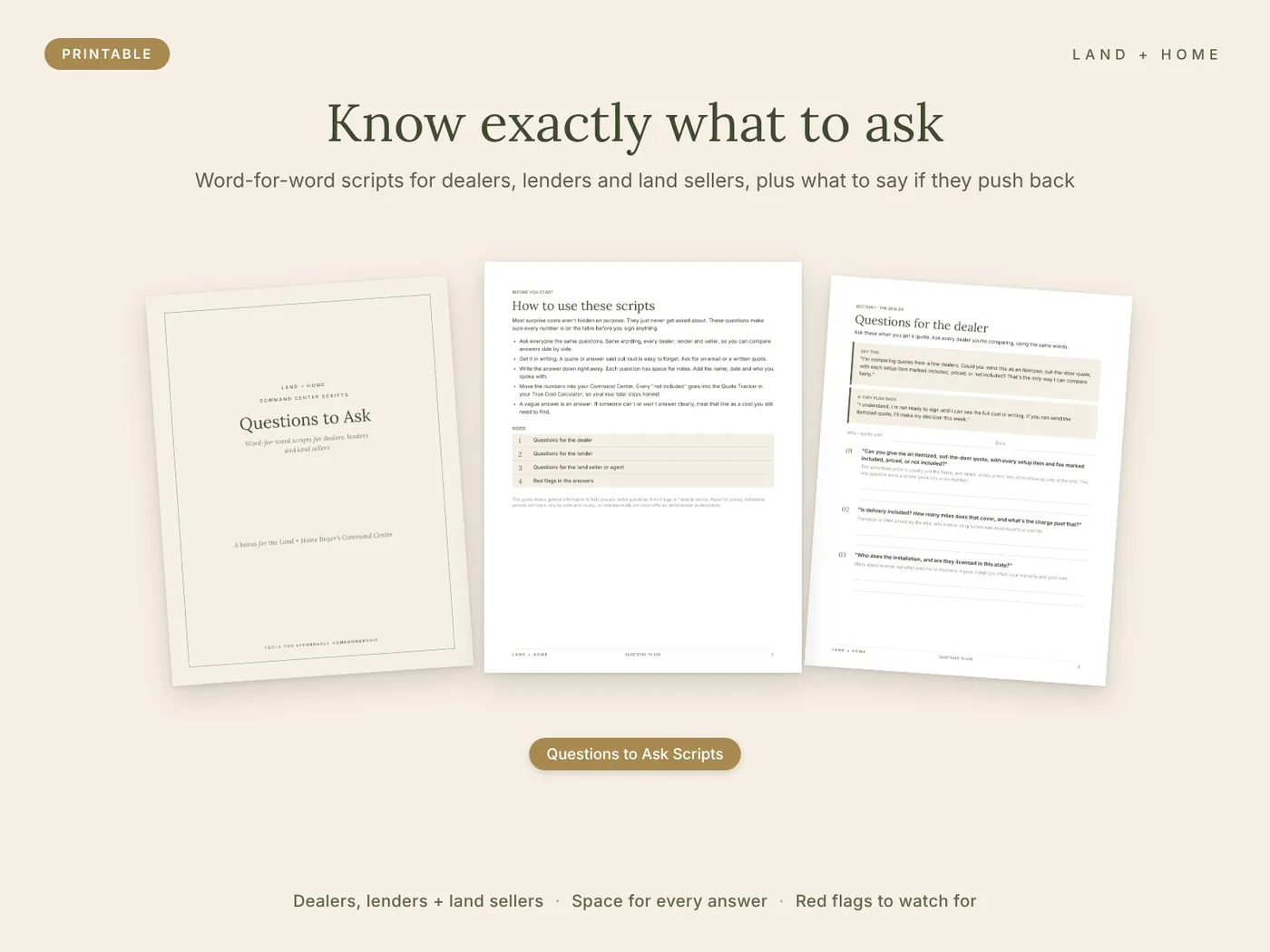
Know exactly what to ask
Word-for-word questions for dealers, lenders, and land sellers, plus what to say if they push back and the red flags to watch for.
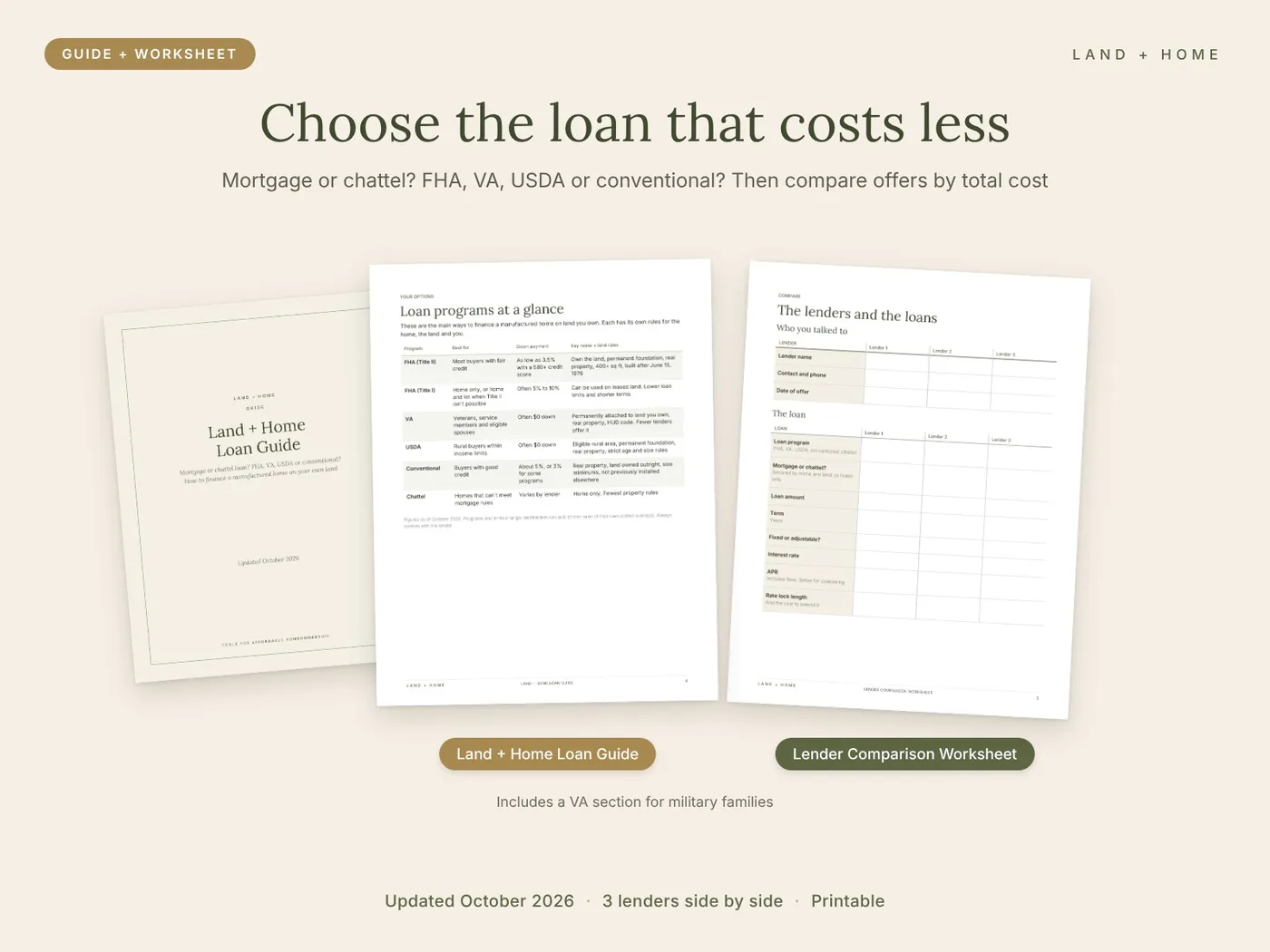
Choose the loan that costs less
The Loan Guide explains mortgage vs. chattel and how FHA, VA, USDA and conventional loans work for a home on land. The worksheet puts three offers side by side by total cost.
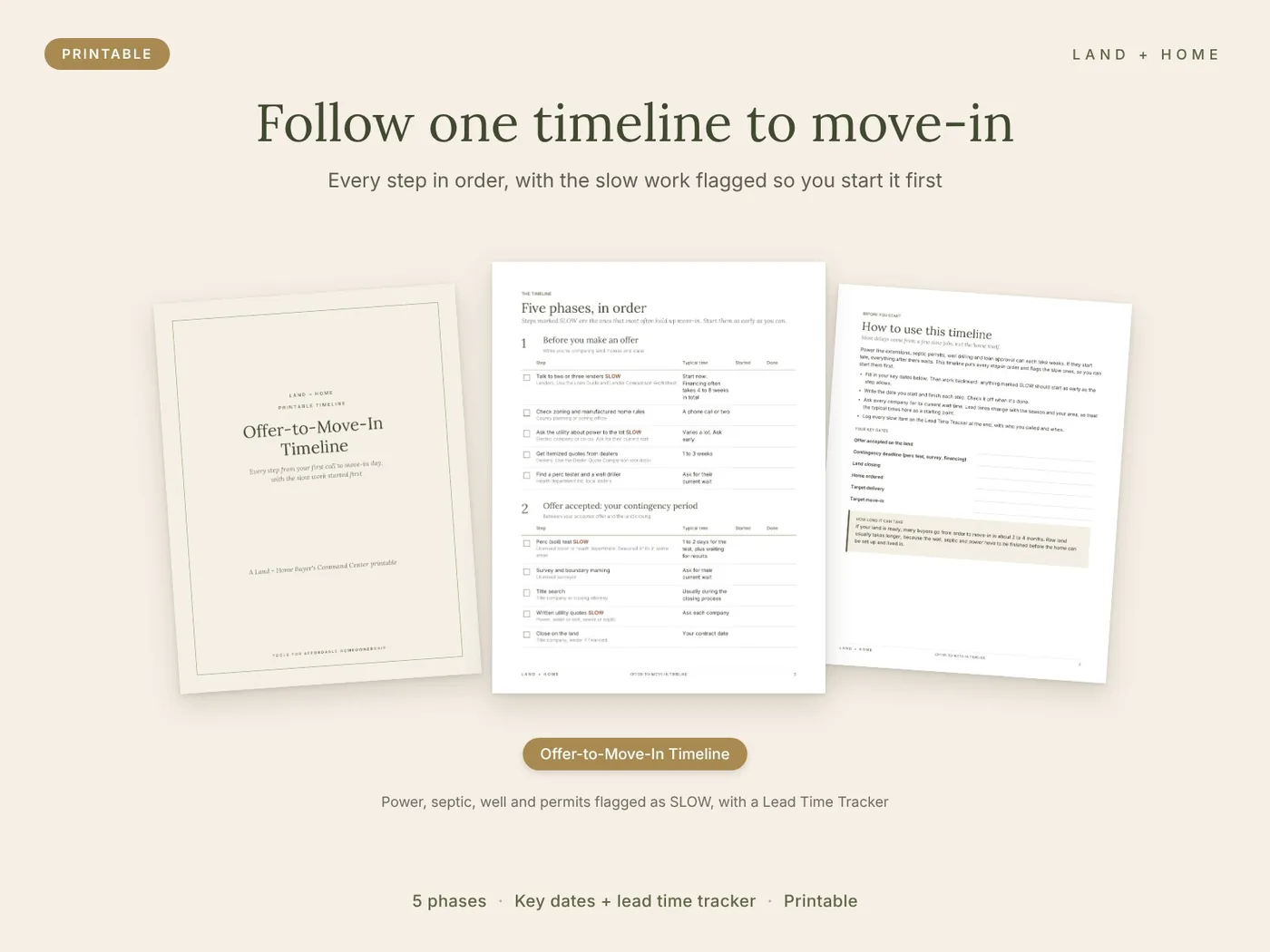
Follow one timeline to move-in
Five phases in order, with power, septic, well, and permits flagged as slow so you start them first, plus a lead time tracker.
Your first hour
Three things tonight. Everything else waits its turn.
- Read your state's pageAbout 10 minutes. Open the State Buyer's Brief, find your state, and jot down its starting numbers and anything that surprises you.
- Put your numbers in the True Cost CalculatorAbout 30 minutes. Look at the filled example first, then put rough land and home numbers in the blank one. Rough is fine; real quotes replace them as you go.
- Set your dates and make three callsAbout 15 minutes. Fill in your key dates on the timeline, then call a lender, the electric company, and the county zoning office this week. They're the slowest parts of buying.
- Then follow the pathFour numbered folders in buying order: plan your budget, check your land, choose your home and loan, inspect and close. Each step says which files to open and when you're ready to move on.
The difference
Piecing it together vs. one system
Piecing it together
- Opening a dozen files and not knowing where to start
- Comparing dealer quotes that list different things
- Finding out about septic and power after buying the land
- Googling your state's titling and permit rules
- Taking the first loan offered
- Going back and forth with your partner on different numbers
- Learning about a long power wait at closing
With the Command Center
- A first-hour plan and a four-step path through the kit
- Quotes lined up item by item, with gaps added back
- Every land check done before your offer is final
- Your state's rules on one page, with official sources
- Loan offers compared by total cost
- One set of numbers you can both look at and print
- A timeline that starts the slow work first
What's included
Everything in the Command Center
Eight pieces made only for the Command Center, plus six of our most popular buyer tools, sorted into four folders in buying order. In the example above, one dealer quote left out $28,100 of setup work. Catching one gap like that pays for the kit many times over.
- Start-Here Roadmap (PDF): your first hour, a four-step path through the kit, and a progress tracker
- State Buyer's Brief (PDF, all 50 states): your state's starting numbers, plus who licenses dealers and installers, how to title the home as real property, how sales tax works, septic and well permits, and wind and roof load zones, each with its official source
- Dealer Quote Comparison (.xlsx, blank + filled example): up to three quotes line by line; anything left out is added back at your estimate, and your follow-up questions are written for you
- Land Due-Diligence Checklist (printable): zoning, access, water, septic, power, the site, and title, with a land cost tally and a go or no-go call
- Land + Home Loan Guide (PDF): mortgage vs. chattel, and how FHA, VA, USDA and conventional loans work for a home on land, with a VA section for military families
- Lender Comparison Worksheet (printable): three loan offers side by side by total cost, cash to close, and each lender's rules for your home and land
- Questions to Ask scripts (printable): word-for-word questions for dealers, lenders and land sellers, plus what to say if they push back
- Offer-to-Move-In Timeline (printable): five phases from first call to move-in, the slow steps flagged, and a lead time tracker
- Included: the Manufactured Home + Land True Cost Calculator, the Lot Rent vs. Land Calculator, the 55-page Buyer's Guide workbook, the Mobile Home Inspection Checklist, the Manufactured Home Buying Checklist, and the Title Conversion Checklist
- 13 tools plus a start-here roadmap, sorted in buying order
- 8 pieces made only for the Command Center, including a 50-state Buyer's Brief
- 6 of our most popular buyer tools included, like the True Cost Calculator and Buyer's Guide
- Works in Excel and Google Sheets, plus printable PDFs
- Instant digital download
Complete buyer system · Spreadsheets + printable PDFs
$97
Get my Command Center · $9730-day money-back guarantee. Use the Command Center for 30 days. If it doesn't help you plan your purchase, email hello@landandhometools.com for a full refund.
Instant digital download. Your link arrives on screen and by email.
Questions before you buy? Email hello@landandhometools.com.
A good fit if
- Buyers planning a manufactured home on land they own or are buying
- Anyone comparing two or more dealers, homes, or parcels
- First-time buyers who want a step-by-step system, not just a calculator
- Families who can't afford a surprise five-figure bill after closing
Not the right fit if
- You want someone to do the research for you. These tools organize and check your numbers; you still make the calls and get the quotes.
- You're buying a home in a land-lease community. The land checks and site work tools assume you own or are buying the land.

Who's behind this
We're a military family with three young kids. We've bought and sold homes in Florida, Arizona, and South Carolina, and we learned a lot along the way. Realtors can be a great asset, but more than once one talked us into a home because of their business angle, not because it was best for us. That's why we built these tools: so anyone can do their own due diligence without relying on the people who make money from the sale. We don't sell homes, land, or loans.
Read our storyQuestions
Frequently asked
Will all these files overwhelm me?
No. Start with the roadmap's "Your first hour" page: three things to do today. Each tool waits in its numbered folder until you reach that step.
Can't I just ask my dealer or realtor?
Ask them, and the scripts help you ask well. But your dealer sells homes, your lender sells loans, and a realtor is paid when the sale closes. We've bought and sold homes in Florida, Arizona, and South Carolina, and more than once we were talked into a home for someone else's business reasons. The Command Center is the one tool in the deal that works only for you.
I already have the True Cost Calculator. Is this worth it?
The calculator tells you the whole number. The Command Center adds the tools for getting there: comparing dealer quotes, checking the land, your state's rules, choosing a loan, the scripts, and the timeline. Eight of its pieces aren't sold anywhere else.
Does it work in Google Sheets?
Yes. Every spreadsheet works in Microsoft Excel and Google Sheets.
I don't love spreadsheets. Is it hard to use?
You only type in the gold cells. Each spreadsheet has a filled example and a short getting-started page, and most of the kit is printable.
I already own land. Is it still useful?
Yes. Skip the land purchase steps and use the land checks for utilities, septic and permits, plus the quote, loan, and timeline tools.
I'm buying in a park, not on land. Is this for me?
It's built for a home on land you own or are buying. If you're still deciding, the Lot Rent vs. Land Calculator inside helps you compare the two.
Will this tell me what my project will cost?
It adds up and compares the numbers you get from dealers, lenders, and contractors. Written local quotes always beat averages, and the scripts help you get them.
What if it isn't right for me?
You're covered by a 30-day money-back guarantee. Use it for 30 days, and if it doesn't help you plan your purchase, email hello@landandhometools.com for a full refund.
How do I get the files?
Right after checkout you get a download link on screen and by email.
Make the big decision once, with the whole picture.
A missed septic system, an incomplete quote, or a costlier loan can cost more than the Command Center many times over. Spend a few evenings with it before you sign anything, and if it doesn't help, you get your money back.
Get my Command Center · $97The Command Center is a set of planning tools, not a contractor quote, appraisal, inspection, financing commitment, or legal, tax, or lending advice. Costs and rules vary by property and location, so confirm details with local professionals and your county. See the license and refund policy.